
On this page
The popular advice is to choose one large database, install its browser extension, and let reps work from there. That approach usually creates a different problem: discovery happens in one system, verification in another, intent signals in a third, and outreach in a fourth. The team pays for overlapping records while reps copy data between disconnected workflows.
A better question is: which prospecting job does each resource perform? Start with where prospects are discovered, then ask how their email and phone data is verified, how company context or intent is added, and where outreach is executed. Coverage matters, but so do provenance, compliance, CRM synchronization, pricing mechanics, implementation effort, and the ability to scale without multiplying duplicate records.
Buyer behavior makes this separation practical. HubSpot's sales statistics report that 96% of prospects research companies and products before speaking with a sales representative, while 71% prefer independent research. Outbound still matters, with 24% of sales organizations identifying cold calling as a primary channel and another 25% using it as a secondary channel. The modern stack therefore needs to support self-directed buyer research and relevant human or automated follow-up.
The comparison below organizes sales prospecting tools by their role in that system. RichAPI is especially relevant when a team wants unified enrichment through REST or MCP while keeping its existing CRM, sequencing platform, data workspace, or AI agent.
Table of Contents
- 1. RichAPI
- Why the operating model matters
- 2. LinkedIn Sales Navigator
- Use it for context, then complete the workflow elsewhere
- 3. ZoomInfo Sales
- 4. Apollo.io
- Where Apollo fits in the stack
- 5. Cognism
- A regional buying decision
- 6. Lusha
- Evaluate the credit path before scaling
- 7. Clay
- Build the workflow before estimating cost
- 8. Seamless.AI
- Treat it as a capture layer
- 9. LeadIQ
- Use it for capture, not full account research
- 10. Hunter
- Where Hunter fits in the stack
- Top 10 Sales Prospecting Tools Comparison
- Build the Smallest Stack That Closes the Gaps
1. RichAPI
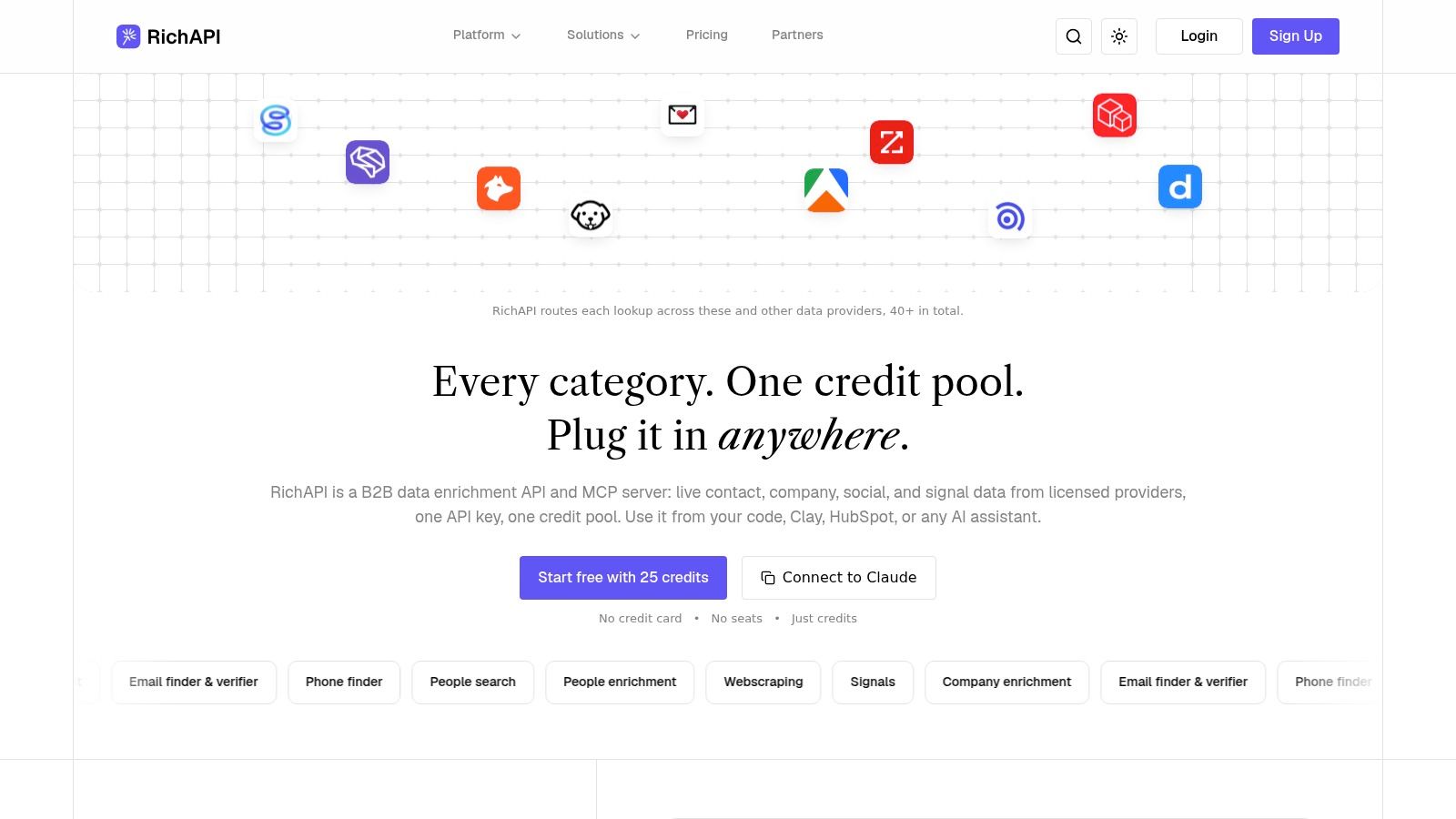
RichAPI serves as the data and enrichment layer between prospect discovery and sales execution. It combines contact, company, social, and signal workflows behind one API key, allowing GTM engineers to connect existing systems without building a separate integration for every provider. SDRs can keep working in their CRM, sequencing platform, data workspace, or AI agent instead of copying records across disconnected tools.
The platform provides 65+ GTM data endpoints for people and company search, firmographic enrichment, social and LinkedIn-related data, email finding and verification, phone finding, signals, and permitted web scraping. Requests pass through a waterfall of 40+ licensed providers, with verification applied before results are returned. This setup addresses a practical data-quality problem: a large database can still produce bounced emails, unreachable phone numbers, or fields with no visible source.

Why the operating model matters
RichAPI charges a fixed credit cost per endpoint, without seats, contracts, or minimums. Email and phone requests that return no result cost zero credits. Execution logs show which providers were tried, which provider returned the result, and what was billed. RevOps and engineering teams therefore get a field-level audit trail rather than an enrichment response with unclear provenance.
Credit pricing still needs workflow-level planning. A process that combines company discovery, person enrichment, social signals, email verification, and phone lookup can consume credits differently from a single record lookup. RichAPI also adds a margin to provider access, while scraping depends on upstream availability, permissions, and legal constraints.
Practical rule: Treat every returned field as an operational decision, not just a data point. Store verification status, provenance, freshness, and the action that the field triggered.
RichAPI runs through a plain REST API or as an MCP server. It connects with Clay, TexAu, Bitscale, HubSpot, Zapier, n8n, Claude, Cursor, and Windsurf, plus custom SaaS and AI SDR workflows. Bulk endpoints and asynchronous webhooks support larger enrichment jobs without requiring a full platform migration.
Pros
- Predictable billing: Fixed endpoint credits and provider-level logs make spend easier to attribute.
- Verified-result economics: Email and phone misses use zero credits, reducing waste from failed lookups.
- Workflow flexibility: REST and MCP access keep enrichment inside existing tools and agents.
- Provider resilience: Waterfall routing limits dependence on one upstream source.
- High-volume support: Bulk processing and asynchronous webhooks fit automated enrichment pipelines.
Cons
- Credit planning required: Teams should test representative workflows before forecasting consumption.
- Upstream constraints remain: Coverage and scraping results depend on provider availability, permissions, and compliance requirements.
- Execution requires another system: RichAPI supplies context and contact data, while outreach still runs through a CRM or sales execution platform.
Choose RichAPI when fragmented enrichment, unclear provider performance, or the cost of another standalone database is slowing the SDR workflow. It complements discovery and outreach resources by connecting their data flows rather than replacing every tool in the stack.
2. LinkedIn Sales Navigator
A large contact database does not automatically improve prospecting. LinkedIn Sales Navigator is more useful when an SDR needs current relationship context, role changes, and account activity to decide whom to contact and why.
Its professional graph supports searches by company, role, seniority, geography, industry, and other attributes. Saved lead and account lists keep those searches active. A rep can spot a new decision-maker, see a leadership change, identify shared connections, or notice engagement with company content before choosing an outreach angle.
Use it for context, then complete the workflow elsewhere
Sales Navigator belongs in the discovery and relationship intelligence layer. It helps identify relevant people and timing signals, while an enrichment provider supplies verified email or phone data and a CRM or sales engagement platform manages execution.
That division creates a practical handoff problem. The team needs a reliable way to match a LinkedIn profile to a CRM record, preserve the reason for contact, and prevent duplicate leads. For teams building workflows around profile or company information, LinkedIn data API considerations should inform decisions about identity matching, consent, access methods, and CRM governance. A browser extension or export routine does not resolve those issues by itself.
Sales Navigator fits teams that sell through warm paths or changing buying committees. It is less suitable as the only prospecting resource for outbound programs that require broad, verified contact coverage.
Where it helps
- Relationship context: Shared connections and professional history give reps material for more relevant outreach.
- Role discovery: Current employment and job changes help teams monitor target accounts and adjust contact ownership.
- Timing signals: Saved lead and account alerts create reasons to revisit prospects instead of relying on static lists.
- Team adoption: CRM integrations and rollout support can help larger sales organizations standardize research habits.
Costs to account for
- Separate contact data: Reps still need another system for verified email and phone coverage.
- Seat-based pricing: Per-user licensing can become expensive as access expands across the sales team.
- Process dependency: Without deduplication, enrichment rules, and clear handoff ownership, Sales Navigator can remain an isolated research list.
Use Sales Navigator as the source of relationship context, then send qualified prospects into enrichment and execution. Keep only the signals that affect prioritization or messaging, so the team gains better timing without paying for disconnected tools or recreating the same records in several systems.
3. ZoomInfo Sales
ZoomInfo Sales, also called SalesOS, targets enterprise-scale sales intelligence rather than quick list building. Its database combines contact and company records, direct dials, buyer intent, and integrations with CRM and marketing automation systems. The wider ZoomInfo product range also serves sales, marketing, operations, and talent teams, which can help organizations standardize revenue data across departments.
The practical question is whether that breadth replaces enough disconnected systems to justify the operational work.
A large sales organization can research accounts, identify decision-makers, prioritize outreach with intent signals, and send records into Salesforce or other connected platforms. This setup can reduce manual exports and duplicate tools, but only after the implementation team defines field mapping, permissions, record ownership, and refresh rules. Without those controls, a larger database can create more records to review rather than a cleaner prospecting process.
What teams should evaluate
- Data coverage: Contact, company, direct-dial, and intent data are available within one program, but teams should test target industries, regions, roles, and account sizes before committing.
- System fit: Native CRM and marketing automation integrations support centralized workflows, provided RevOps maintains the connections and data rules.
- Governance: Central administration and controls suit organizations with formal data operations. They add work for lean teams and early-stage programs.
- Expansion potential: Related products can support additional sales, marketing, operations, and talent workflows beyond basic prospect discovery.
Pricing is sales-led and contracted, with no public list price. Procurement therefore takes longer, and comparisons are difficult when a proposal combines data access, intent, integrations, seats, and add-ons. Model the complete contract, including the capabilities the team will use, rather than comparing a quoted seat price with a standalone database.
For a practical way to assess enterprise providers, B2B data enrichment platform criteria can guide questions about source identification, stale records, duplicate resolution, failed lookups, and spend tied to usable outcomes.
ZoomInfo fits teams whose prospecting already depends on enterprise data governance and connected revenue systems. A smaller SDR group seeking self-serve testing, a narrow enrichment function, or predictable usage-based billing may find the administration and contract structure too heavy.
4. Apollo.io
Apollo.io brings prospect discovery, enrichment, sequencing, and dialing into one platform. That sounds efficient, but the practical question is whether a team needs one system for every stage of prospecting. For SMBs and growing sales teams, the answer can be yes when reducing handoffs matters more than choosing a best-in-class tool for each job.
An SDR can search Apollo's database, capture a contact through the browser extension, add that person to a sequence, and call from the built-in dialer without moving between separate systems. Its AI features also support research, writing, and GTM workflows, helping standardize repetitive preparation work.
Where Apollo fits in the stack
Apollo works best as an orchestration and execution layer that also supplies contact data. A small team can move from ICP filters to an active campaign quickly, while the shared environment limits manual exports and duplicate tooling. That speed has a cost: a broad database may perform unevenly across regions, industries, seniority levels, and company segments. Test the exact accounts and roles the team intends to target before making Apollo the system of record.
Use the browser extension for in-workflow discovery, then check whether the resulting records meet the team's standards for email, phone, and company data. Apollo can reduce tool count, but it does not remove the need for verification, deduplication, or compliance review.
Pricing requires a workflow-level calculation. Per-seat costs can rise with headcount, while data access, exports, dialing, and automation may have separate plan limits. Include enrichment retries, phone usage, CRM synchronization, sequence maintenance, and the time required to administer campaigns. A lower subscription price may not represent a lower operating cost.
Apollo suits teams that prioritize speed to deployment and broad functionality. Its main trade-off is potential lock-in: replacing both the data source and execution layer later can make migration more difficult. Teams with narrow enrichment needs or established engagement systems may gain more control by adding a focused data or orchestration tool instead.
5. Cognism
Cognism is built for compliance-conscious B2B prospecting, especially for UK and European outbound teams. Its coverage focuses on GDPR and CCPA-aligned workflows, Do-Not-Call scrubbing across multiple regions, and verified email and mobile data.
That focus changes how Cognism fits into a prospecting stack. It serves primarily as a compliant data discovery and enrichment layer, rather than as the place where an SDR manages every campaign. Teams can feed checked records into their CRM, sequencing platform, or custom routing process, but they still need clear ownership of execution and suppression rules.
Phone outreach across markets makes those controls practical, not theoretical. Before a number reaches a dialer, confirm that the team can lawfully use it, that suppression rules were applied, and that Cognism has a workable process for data removal or correction. Keep the resulting compliance status with the contact record.
A regional buying decision
Cognism makes the strongest case for sales organizations that value European coverage and verified mobile numbers more than a generic global database. API access is available on qualifying packages and may support CRM enrichment or custom routing. Procurement should confirm the included fields, access method, usage rights, and any limits before treating the API as part of the operating model.
Sales-led and contract-based pricing has no public price list. That structure can make a small-team trial harder to arrange and makes the evaluation process more dependent on vendor discussions. US coverage is improving, but it is not Cognism's primary differentiator. North American-heavy teams should test representative accounts and roles instead of relying on category reputation.
The main advantages are Compliance focus, Mobile verification, Suppression workflows, and Enrichment access. These can reduce manual review for regional phone campaigns, improve contact selection, and support programmatic data operations on qualifying packages.
The trade-offs are Contract friction, Regional trade-offs, and Less self-serve testing. European strength will not guarantee coverage in every US segment, and procurement may require a structured vendor assessment before access is granted.
Choose Cognism when legal safety and regional phone quality belong in the product requirement. Record consent, lawful basis where relevant, suppression status, and the date each contact was checked.
6. Lusha
Lusha works best for quick, self-serve contact discovery during rep-led prospecting. An SDR can find a person on LinkedIn or a company website, reveal an email or phone number through the browser extension, review the record, and send it to a CRM or outreach system. The platform also includes lookalike and signal features, sequencing, integrations, and API access on higher tiers.

Evaluate the credit path before scaling
Lusha's visible plan structure helps teams assess the product without starting with a negotiated enterprise contract. Credits are shared across the web application, extension, API, and connectors, so a workflow that looks inexpensive for individual email lookups can cost more when reps reveal phone numbers or run repeated enrichment.
The strongest fit is execution at the point of research, rather than a large data operation. A seller identifies a prospect, checks the available contact methods, and routes the record to the next system. That path saves manual copying, but broad automated enrichment can consume credits quickly and make field-level cost attribution difficult.
API access and higher rate limits require higher tiers. Teams considering Lusha as infrastructure should test batch behavior, connector or webhook capabilities, duplicate handling, and the process for disputing inaccurate records. Lookalike searches and signals may support prioritization, while sequencing can extend the workflow beyond discovery. They do not remove the need to check coverage and record quality.
Quick activation comes from the browser extension and self-serve setup. Public pricing structure makes credit usage easier to inspect than a fully quote-only package. Broad integrations can move records into CRM and outreach tools with less manual entry. Rep-friendly operation keeps prospect research in the seller's existing workflow.
The main constraints are Credit intensity, Tiered access, and Volume economics. Phone-heavy activity can use the allowance faster than email discovery. API access and higher limits may require an upgrade, and a process that works for a few reps may be inefficient for bulk enrichment.
Lusha suits small teams and individual sellers that need fast contact discovery. Pair it with a separate data source only when the added coverage justifies another cost and the handoff between systems is clearly defined.
7. Clay
Clay is an orchestration and enrichment workspace for teams building a prospecting system from multiple data sources. Its tables and workflow canvas let GTM engineers combine provider lookups, web research, Claygent AI research, and destinations such as CRMs or data warehouses.
Clay's value is control over the handoff between jobs. A team can discover an account in one system, enrich its technology or hiring data elsewhere, validate a contact, then route the record to outreach or CRM ownership. One provider may cover company technology well, while another performs better for email discovery or social signals. This flexibility means Clay is not automatically a single source of truth. Results depend on provider order, fallback logic, field mapping, validation rules, and duplicate handling.
Build the workflow before estimating cost
Clay combines platform actions with data credits. A short enrichment sequence is relatively easy to forecast. A waterfall that includes several providers, AI research, retries, conditional branches, and destination syncs requires an action-level cost model. Log each step before expanding the workflow, especially when the same record can trigger multiple lookups.
The implementation burden is higher than with a browser extension or an all-in-one database. Clay suits RevOps and GTM engineering teams that need custom logic. It is a poor fit when SDRs only need a verified email during live prospect research.
A practical evaluation should test one complete path from account discovery to CRM ownership. Check whether the schema preserves provenance, whether fallback providers create duplicate values, and whether failed lookups are visible to the team.
Workflow control lets teams set enrichment order, conditions, fallbacks, and destinations. Provider choice supports different data strategies by market or field. AI research through Claygent can add account context beyond standard database attributes. Operational flexibility supports CRM and warehouse syncs within custom GTM architectures.
The trade-offs are Complex pricing, Configuration dependence, and Implementation effort. Credits and platform actions need separate tracking. Weak provider sequencing can create poor records at scale, while custom workflows may require dedicated RevOps or agency support.
Clay works best as an orchestrator, not as a replacement for data governance. Define schemas, deduplication rules, and provenance fields first, then give one destination system ownership of the final prospect record.
8. Seamless.AI
Seamless.AI is built for browser-first contact discovery. Its email, phone, and domain search, verification, org charts, buyer intent, news, event signals, and engagement integrations let SDRs collect contacts while researching LinkedIn or company websites. The Chrome extension keeps discovery and capture in the same working session.
That speed is the product's main advantage. A rep can filter a market, capture contacts from a page, review account signals, and move a record toward outreach without building a separate list first. Org structures can also help identify the right buying roles, although teams should verify whether the returned data is accurate enough for their target segments.
Treat it as a capture layer
Seamless.AI fits the data discovery and early execution stages of a prospecting system. It can shorten the path from research to sequencing, but it should not automatically become the team's system of record. Define CRM ownership, duplicate handling, approval rules, and outreach permissions before enabling automated capture.
Pricing beyond entry-level access is sales-led and credit-based. Ask for renewal terms, export limits, add-ons, credit expiration, and the platform's definition of verification. Model costs against contacts captured, phone lookups, verification activity, and records that enter an engagement workflow. A small pilot may not reflect high-volume usage.
Coverage requires a segment-specific test. Compare returned contacts with existing CRM records, independently verify a sample, and measure unreachable contacts after launch. Test the industries, geographies, and seniority bands that matter to the team rather than relying on a general coverage claim.
Pros
- Fast list building: Browser capture and filters reduce manual research.
- Contact breadth: Email, phone, domain, org chart, and signal features cover several prospecting tasks.
- Rep workflow fit: Sellers can research and capture without leaving the page.
- Automation options: Engagement integrations shorten the route to sequencing.
Cons
- Contract uncertainty: Non-entry-level costs require careful commercial review.
- Credit dependence: High-volume workflows can have different economics from a pilot.
- Coverage variability: Validate the markets and segments that the team serves.
Seamless.AI works best when browser-based speed is the main constraint. Strong governance is required when automated capture feeds outreach at scale.
9. LeadIQ
LeadIQ earns its place in a stack when reps already research in LinkedIn and need a controlled path into execution. It supports Sales Navigator-centered prospecting by capturing contacts from LinkedIn and other sites, checking email and phone details, and syncing records with Salesforce, HubSpot, Outreach, Salesloft, and other sales systems. Its role is narrower than a general database. It connects research, CRM hygiene, and outreach.
That workflow removes much of the manual copying between tabs. A rep can identify a person, capture the contact, retain personalization notes, and route the record to the right CRM or engagement process. The integration still needs configuration. Field mapping, ownership rules, and duplicate handling determine whether LeadIQ reduces administrative work or adds another source of CRM clutter.

Use it for capture, not full account research
LeadIQ's advanced search is less granular than a full contact database. It fits teams that discover accounts elsewhere and need capture, verification, personalization, and sync in one rep-facing workflow. Buyers expecting broad account intelligence or detailed territory research should compare it with a database built for that job.
Credit usage becomes more important as adoption grows. Track contacts captured per rep, the share that needs phone data, verification activity, and the records that enter a sequence. Review how credits are consumed, then test whether changed roles, existing contacts, and account ownership update correctly. A pilot based only on light capture may hide the cost and cleanup required at scale.
For a practical stack, LeadIQ can sit between discovery and execution:
- Smooth capture: LinkedIn research can move directly into the CRM.
- Strong integrations: Salesforce, HubSpot, Outreach, and Salesloft fit common SDR workflows.
- Useful personalization: Notes preserve research context during handoff.
- Lightweight deployment: Existing discovery and outreach tools can remain in place.
The trade-offs are clear:
- Limited standalone discovery: It does not replace a broad database.
- Usage-based economics: High-volume capture requires credit modeling.
- Sync quality matters: Weak field mapping can create duplicates and clutter.
LeadIQ is a practical choice when teams want to operationalize what reps find. Set deduplication and routing rules before rollout, then measure whether captured contacts reach useful sequences without creating duplicate costs or disconnected records.
10. Hunter
Hunter focuses on email discovery and verification. It can find an address by person or domain, check deliverability individually or in bulk, store prospects in a lightweight CRM, and expose an API for custom pipelines. Basic sequences and CRM integrations support email-led outreach without forcing a team into a broader sales platform.
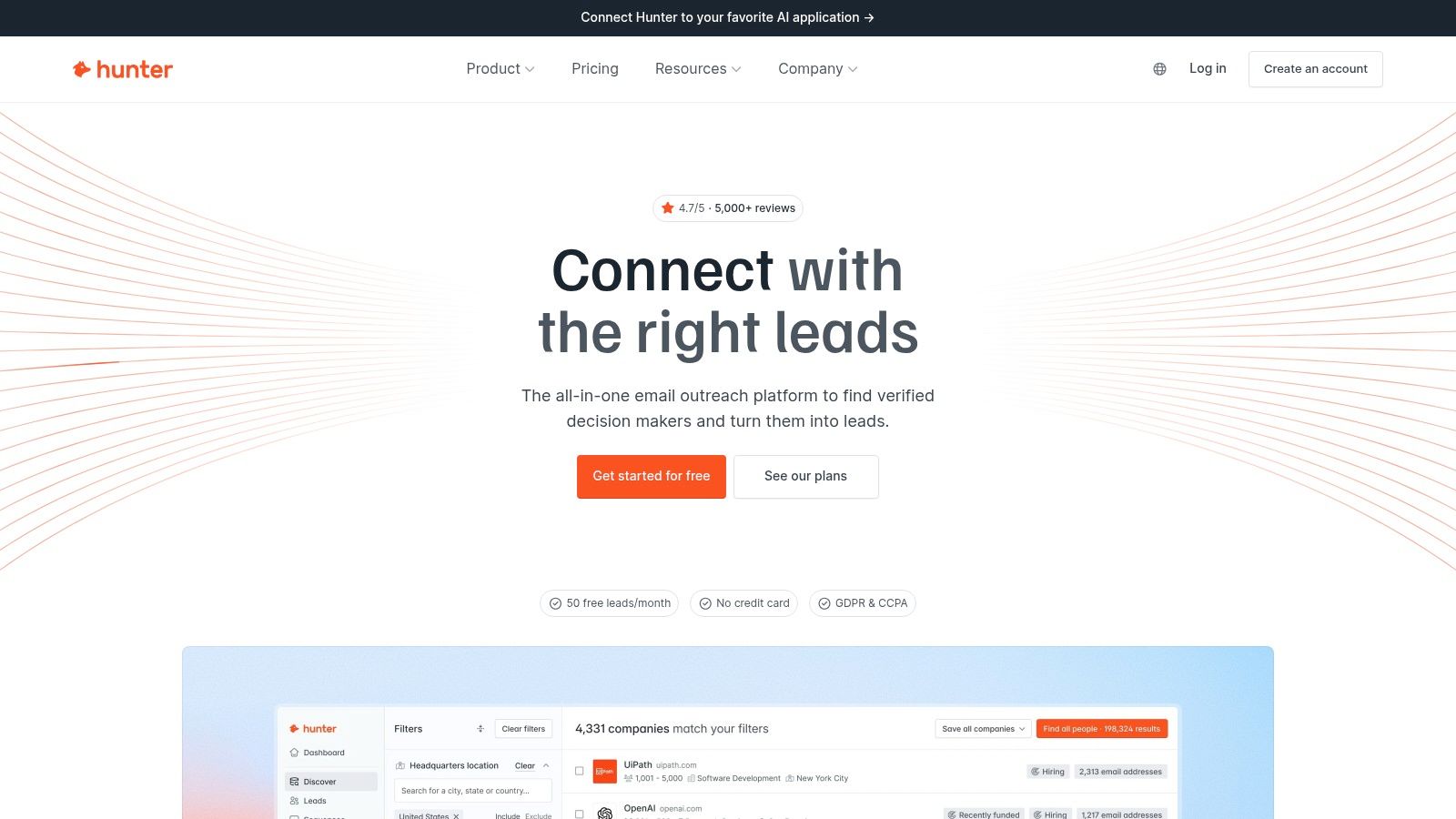
That narrower scope can lower waste. If SDRs already know their target accounts, Hunter handles the next operational step: identify a likely inbox, test it, and pass the result to outreach. Paying for a large contact database would add little value in that workflow.

Where Hunter fits in the stack
Hunter works best after account and contact discovery, not as the system that supplies every prospecting signal. It has no phone layer, limited account intelligence, and lighter sequences than dedicated sales engagement tools. Teams still need separate resources for firmographics, intent, relationship data, calling, and multichannel orchestration.
For a team cleaning an existing file or pipeline, bulk email verification workflows offer a useful comparison point. Test how each tool labels unknown, risky, and invalid addresses. Check whether Finder results require another verification pass, how API failures are surfaced, and whether the output can be reproduced later. Store the result and timestamp in the CRM so reps can judge its age before sending.
A practical evaluation should cover:
- Verification quality: Measure valid, risky, and rejected results against a sample your team already understands.
- Workflow fit: Confirm that CRM fields, exports, and API responses preserve the status needed for routing and suppression.
- Execution limits: Basic sequences may suit simple email motions, while complex cadences require dedicated outreach software.
- Cost control: Self-serve plans make initial benchmarking easier, but bulk usage and additional providers can change the economics.
Hunter fits when verified email is the missing layer. Pair it with a discovery source and an execution platform, then define suppression, recheck, and handoff rules before rollout. That combination keeps Hunter focused on data quality instead of duplicating the rest of the prospecting stack.
Top 10 Sales Prospecting Tools Comparison
| Product | Core features ✨ | Quality ★ | Price & value 💰 | Target audience 👥 | Unique selling point 🏆 |
|---|---|---|---|---|---|
| RichAPI 🏆 | 65+ GTM endpoints, REST + MCP, bulk + async webhooks | ★★★★★ Verified results; execution logs | 💰 Fixed per-endpoint credits, no seats/mins, 100 free credits; misses cost 0 | 👥 GTM engineers, AI‑SDR builders, RevOps, agencies | 🏆 Multi‑provider waterfall + execution logs; verified hits only billed |
| LinkedIn Sales Navigator | Advanced lead/account search, saved alerts, buyer intent | ★★★★ Up‑to‑date role graph | 💰 Per‑seat subscription | 👥 BDRs, AMs, account teams | 🏆 Best‑in‑class relationship graph & on‑platform intent |
| ZoomInfo Sales (SalesOS) | Large contact/company DB, direct dials, buyer intent | ★★★★ Mature enterprise dataset | 💰 Sales‑led contracts; costly for SMBs | 👥 Enterprise sales, RevOps | 🏆 Deep CRM integrations & enterprise ecosystem |
| Apollo.io | Prospecting DB + engagement, Chrome extension, sequences | ★★★★ All‑in‑one workflow | 💰 Accessible entry tiers; per‑seat scaling | 👥 SMBs, outreach teams, AI‑SDR builders | 🏆 Data + outreach in one platform |
| Cognism | GDPR/CCPA workflows, verified mobile numbers, DNC scrubs | ★★★★ Strong compliance posture | 💰 Sales‑led contracts | 👥 EMEA/UK teams, compliance‑sensitive | 🏆 Compliance‑first EU coverage & verified mobiles |
| Lusha | Verified emails/phones, extension, credits across tools | ★★★★ Fast activation | 💰 Clear public plans + free tier; API on higher tiers | 👥 SMBs, quick‑value sales teams | 🏆 Transparent pricing & easy self‑serve testing |
| Clay | Visual workflow canvas, 100+ providers, AI research | ★★★★ Flexible orchestration | 💰 Credits + platform fees; cost modeling needed | 👥 GTM engineers, builders, ops | 🏆 Orchestrates multi‑provider enrichment & AI research |
| Seamless.AI | Email/phone search + verification, org charts, extension | ★★★★ Fast list building | 💰 Entry tiers then sales‑led/credited | 👥 Reps prospecting in browser | 🏆 AI‑verified contact focus with on‑page capture |
| LeadIQ | Chrome capture, verify, CRM syncs, public API | ★★★★ Smooth capture → CRM | 💰 Seat + credits; model for volume | 👥 Reps using Sales Navigator, ops | 🏆 Seamless LinkedIn→CRM workflow, low friction |
| Hunter | Email Finder, Domain Search, bulk verifier, API | ★★★★ Strong email verification | 💰 Transparent self‑serve plans; easy to trial | 👥 Email‑centric teams, marketers | 🏆 Reliable verification APIs and bulk email tools |
Build the Smallest Stack That Closes the Gaps
The best stack isn't the one with the longest feature list. It's the smallest combination that gives reps a reliable path from account discovery to relevant contact, verified channel, CRM record, and measured outreach. A team buying overlapping databases may increase the number of records while making ownership, provenance, and cost harder to control.
Start with the discovery source that matches the market. LinkedIn Sales Navigator is a natural foundation for relationship-led selling and current professional context. ZoomInfo, Cognism, Apollo, Lusha, Seamless.AI, and other data platforms may fit better when the team needs broader account and contact search. Clay is appropriate when the team needs to design its own enrichment logic. Hunter or a similar focused service makes sense when the target list already exists and email verification is the constraint.
Add a verified email or phone layer only where the workflow needs it. Don't enrich every possible field because an endpoint exists. Define the minimum record required for a rep to act, such as company identity, role, account fit, one reachable channel, and a reason for timely contact. Then test that workflow on a representative sample of target accounts before signing a large contract or automating production outreach.
Track the economics at the level where decisions happen:
- Credit or seat costs: Attribute spend to usable records and completed workflows, not just licenses or exports.
- Reachability outcomes: Monitor bounces, invalid emails, unreachable numbers, and successful contact attempts.
- Duplicate rates: Compare new records against the CRM before sequencing or routing.
- Rep time: Measure how much manual research, correction, and data entry each tool removes.
- Compliance events: Record suppression checks, data provenance, permitted use, and opt-out handling.
- Workflow completion: Measure whether qualified accounts are enriched, scored, routed, and sequenced as intended.
Prospecting performance leaves little room for careless targeting. A 2024 cold outreach analysis from Division50 based on 16.5 million cold emails reported an average reply rate of 5.8%, down from 6.8% in 2023, and an average cold-calling success rate of 2.3% based on more than 204,000 calls. Those figures aren't a promise for any team, but they show why accurate contactability and relevance matter before a company increases activity.
The stack also needs a clear human handoff. Gartner's buyer research reports that 61% of B2B buyers prefer an overall rep-free buying experience, while buyers still prefer seller input for contextual questions about fit. The same research says 73% actively avoid suppliers that send irrelevant outreach. Automation should therefore discover accounts, enrich records, detect signals, and prepare context. A seller or trained agent should intervene when the workflow needs judgment about business priorities, unusual constraints, or whether an approach is genuinely relevant.
RichAPI is a strong integration layer for teams that already have discovery, CRM, and execution tools but need more dependable enrichment between them. Its provider waterfall, fixed endpoint costs, verified-result billing, execution logs, REST and MCP access, bulk endpoints, and asynchronous webhooks address the operational gaps that standalone browser tools often leave behind. It can support an existing Clay table, HubSpot process, n8n automation, or AI agent without requiring the team to replace the system where reps work.
The decision should come from a controlled pilot, not a vendor leaderboard. Choose one discovery source, define the required fields, connect verification and deduplication, route qualified records into outreach, and compare usable outcomes against cost and rep effort. Expand only after the workflow proves that it improves data quality and execution without creating a second, disconnected prospect database.
RichAPI gives GTM teams one REST and MCP interface for contact, company, social, and signal enrichment, with provider routing, verified results, execution logs, and bulk processing inside the workflows they already use. If your prospecting stack needs better coverage and clearer cost attribution without another platform migration, visit RichAPI and test the enrichment layer against your own accounts.